Note: Wave Link has now been updated to version 3. This reimagining has all-new features and an improved interface overall. Wave Link 3 is free, and will also work with a wide variety of microphones, not just those from Elgato.
Wave Link 2 has reached End of Life. It will still be available for download, but our development focus will be on Wave Link 3 moving forward. We look forward to improve audio for an increasing audience of great creators.
Here are the changes in Wave Link 1.1.4
You can download Elgato Wave link 1.1.4 by clicking on the links below.
macOS
Windows
What's New in Wave Link 1.1.4?
This update is accompanied by new firmware, Version 1.1, which adds some frequently requested features and enhancements to your premium Wave microphone.
🆕 Wave Gain Lock
Has your input gain been changing on its own? Rest assured, your Wave microphone is not glitching. Other applications are automatically adjusting your gain level in an attempt to make your life easier. Sometimes it works but most often not. Which is why this update features Wave Gain Lock, a handy safeguard you can activate to prohibit third-party apps from tweaking your gain. Now, exclusive control is yours via the onboard dial, Wave Link app, and Stream Deck.

🆕 PlayStation 4 Support
Wave:1 and Wave:3 now work natively as a microphone when connected to a PS4.
- Why this is awesome: the high-power headphone output and cutting edge analog to digital converter vastly increase volume and detail, while the onboard control dial lets you adjust levels without menu diving. Connect headphones to your Wave microphone now, and instantly upgrade your listening experience on PS4.

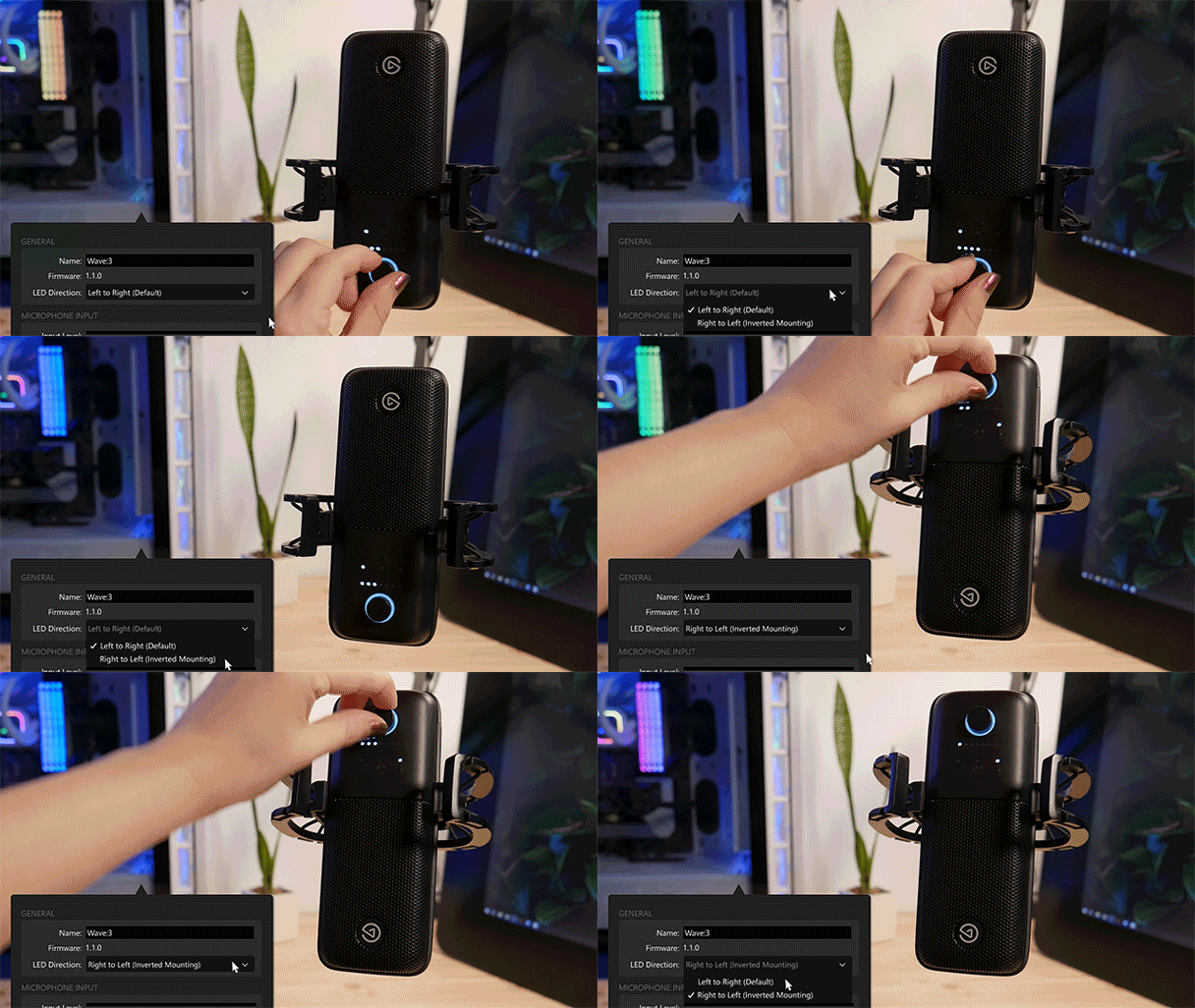
🆕 LED Meter Direction (Wave:3 only)
It's common practice to suspend a microphone in an overhead position, which inverts feedback meters and other visual indicators. If this is how you mount your Wave:3, you can now switch the LED meter direction to move from right to left (left to right when upside down).
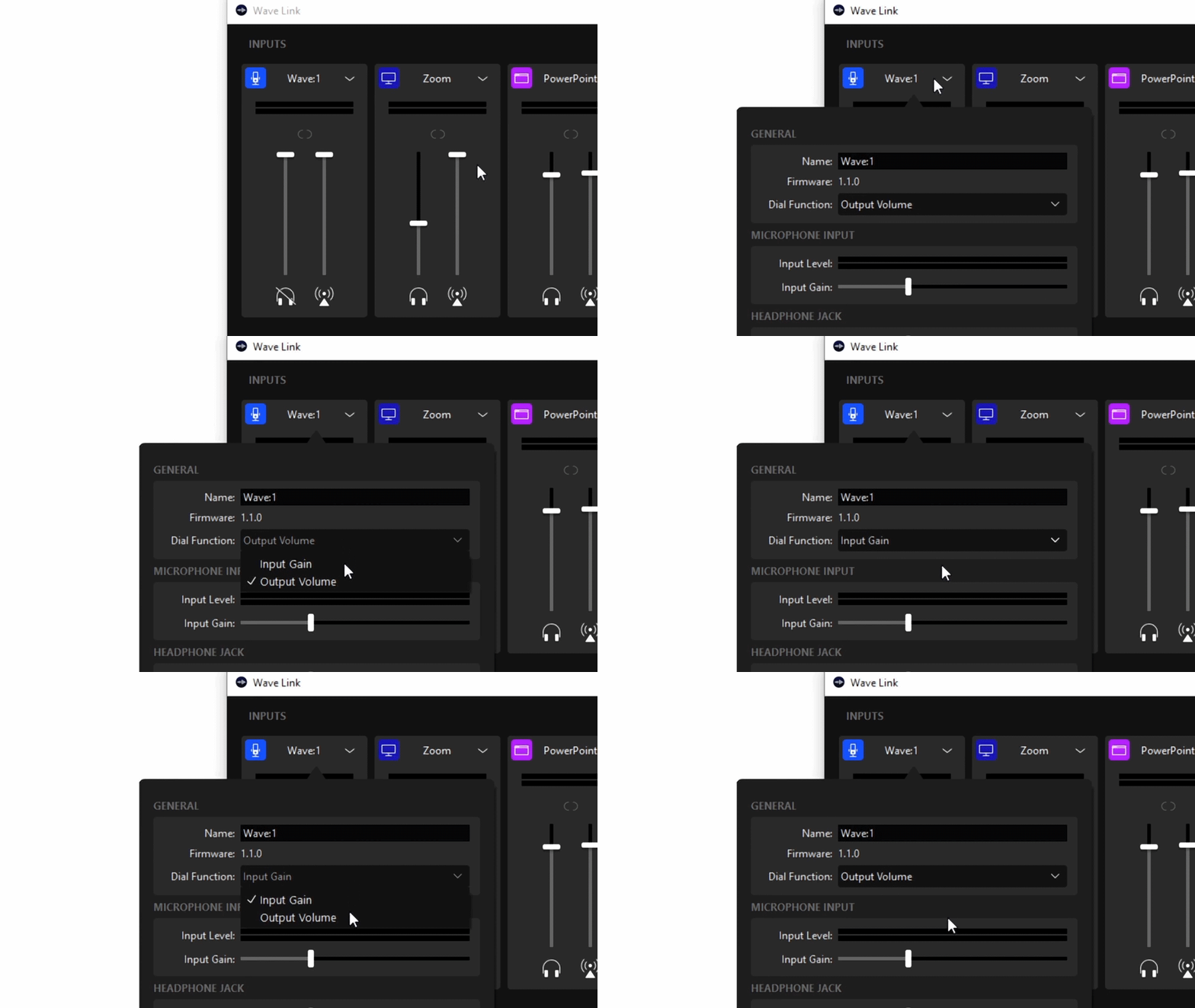
🆕 Control Dial Configuration (Wave:1 only)
Until now, your Wave:1 control dial only adjusted headphone volume. With this update, you can assign it to adjust gain. Your mic, your rules.
🔁 How to update Wave:1 / Wave:3 firmware
- Download and install this version of Wave Link.
- Click on the microphone channel.
- At the bottom of the settings popover, click Update firmware.
Do not unplug your microphone during the update process.
This wouldn't be a Wave Link update without some behind-the-scenes performance improvements, so yes, there are a few of those as well.
ℹ A note about macOS11 Big Sur (DEPENDS ON WHETHER BIG SUR IS RELEASED BEFORE THIS WAVE LINK UPDATE)
Heads up: Wave Link application audio routing is not yet functional on macOS 11. We're working hard to get this up and running! If you require this Wave Link feature, we suggest that you stick with macOS 10.15 Catalina for the time being.