You can download Elgato Stream Deck 5.0 by clicking on the links below.
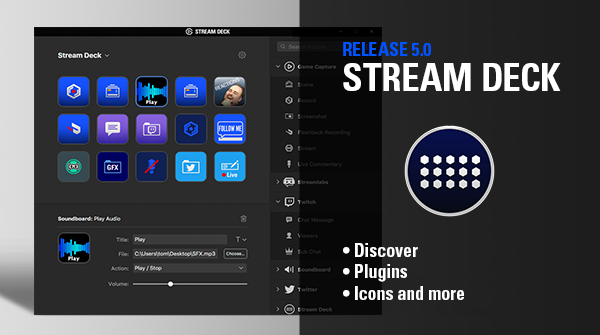
You can download Elgato Stream Deck 5.0 by clicking on the links below.
macOS
Windows
What's New in Stream Deck 5.0.
A new storefront with five sections takes the Stream Deck experience to the next level: Discover, Plugins, Icons, Music, Sound Effects.
Discover
Find the latest and greatest in the world of Stream Deck. New plugins, updates, tutorials, and partner interviews, plus pro tips to inspire new uses and mastery of Stream Deck's best features.
Plugins
Now it's easier than ever to browse the growing list of Stream Deck plugins. The all-new Plugin section gives you at-a-glance details for quick scanning while clicking through reveals plugin media, latest version details, compatibility, and links to developer resources.
Icons
You want to make your Stream Deck yours, and with LCD keys the customization possibilities are endless. That’s why Stream Deck 5.0 features a dedicated Icons section, which houses ready-to-use icon packs designed by industry pros such as Visual By Impulse. Simply download an icon pack, and apply one or all the Icons from the all-new Icon Library.
Music
Need the perfect track to start your stream? How about some hip hop, dance, or chill to accompany your intermission screen? Look no further than the Music tab, which contains over 100,00 royalty-free tracks covering every genre, instrument, and tempo you can think of. That’s right – now there’s no need to stress about copyright infringements! Click the play button to preview a track. If you want it, simply download and add it to your sound Board action.
Sound Effects
Record scratch, door creak, applause, alien starship flyby – high-quality SFX are just seconds away. With over 100,000 royalty-free sound effects for you to download, our guess is your content is going to become a lot more audio-rich. Again, like music, you can trigger Stream Deck effects without being flagged. Simply download the sound effect you want, and add it to the Soundboard Action.
General Changes
- The preferences window can now be resized.
- Too many bug fixes to count.