Below is a comprehensive list of Elgato Control Center releases.
Elgato Control Center Release Notes - Software Download Links
Introducing Key Light Mini
Shine online, anywhere, anytime. Edge-lit with multi-layer diffusion technology, powered by battery or mains, Key Light Mini makes you look amazing from the studio to the street. Mount on a tripod or metal surface thanks to a ¼-inch thread and built-in magnet. Adjust brightness and color temperature via the onboard controls or app on iPhone, Android, Mac or PC. With Key Light Mini, everywhere is the perfect place to create.
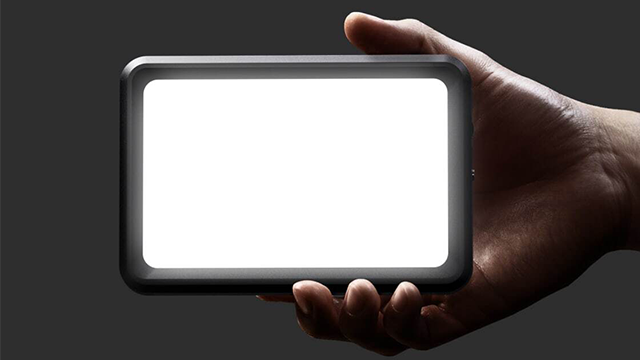
Key Light Mini highlights:
- Portable LED panel with rechargeable battery
- Adjust light settings via the onboard controls or app
- Bright 800-lumen output and completely dimmable
- 2900 - 7000 K produces warm to cold white
- Premium OSRAM LEDs ensure flicker-free video
- Edge-lit architecture with multi-layer diffusion is easy on the eyes
- Magnetic back panel and ¼-inch thread mount
- 4 hours light at 50% brightness, bypass mode, fast charge
- Multi Mount compatibility offers additional rigging options
- Integration with Elgato Stream Deck provides one-touch tactile control
Learn more at elgato.com.
Hide 1.2 Release Notes
Introducing Elgato Light Strip
This release supports the newest addition to our studio lighting line-up: Light Strip.
Light Strip features ultra-bright RGBWW LEDs that provide maximum scope for color blending and warm to cold white you can work with.
- Control wirelessly via Mac/Windows/iPhone/Android and of course Stream Deck
- Up to 2000 lumens of brightness
- Color range of 3500 – 6500 K
- Constant intensity without visible on-camera flicker
Learn more about Light Strip here.
Improvements and bug fixes
- Improved the reliability of firmware updating when Wi-Fi conditions are not optimal.
- Stream Deck key states are now properly synced when changing light settings from a different device.
- Fixes a crash when opening device settings on macOS Big Sur.
- Bug fixes and performance optimizations
- The connection between Control Center and Stream Deck is even more secure.
We've made some under-the-hood improvements to enhance the Control Center experience on macOS
Hide 1.1.1 Release Notes
Device support for Eve Light Strip
Control Center now works with Eve Light Strip.
Eve Light Strip features true-to-life colors, premium triple-diode LED architecture and ultra-bright output with up to 1800 lumens. Light up your whole studio or dim to a subtle glow, all in full-spectrum white and millions of colors that you control via Stream Deck, Siri or the app. The best part? Eve Light Strip connects directly to your Wi-Fi network without requiring a bridge.
Learn more about Eve Light Strip: https://www.evehome.com/en-us/eve-light-strip
New firmware for Key Light
Firmware version 1.0.3 (192) brings with it a welcome quality of life update.
With this firmware update, when the name of Key Light is changed, that name is stored on Key Light itself, and will be shown across all devices. For example, if you change the name of Key Light in Control Center on Windows, the new name will automatically appear on other Windows computers, as well as in Control Center on iOS and macOS.
Control Center will now notify you when a recommended firmware update is available for Key Light
New translation
Added translations for several languages (Chinese, Danish, Dutch, English, French, German, Italian, Japanese, Korean, Portuguese, Russian, Spanish, Swedish)
Hide 1.0 Release NotesThis is the initial release of Control Center for controlling Key Light.
Key Features
- Turn Key Light on/off
- Change Key Light color temperature
- Change Key Light brightness
- Link multiple Key Lights together for easy control
- Update Key Light firmware
- Integration with Stream Deck