Wave:3 combines an internal pop filter and proprietary Clipguard technology with a premium condenser capsule for professional broadcast audio quality.
To help achieve the best possible results, we came up with the following usage recommendations.
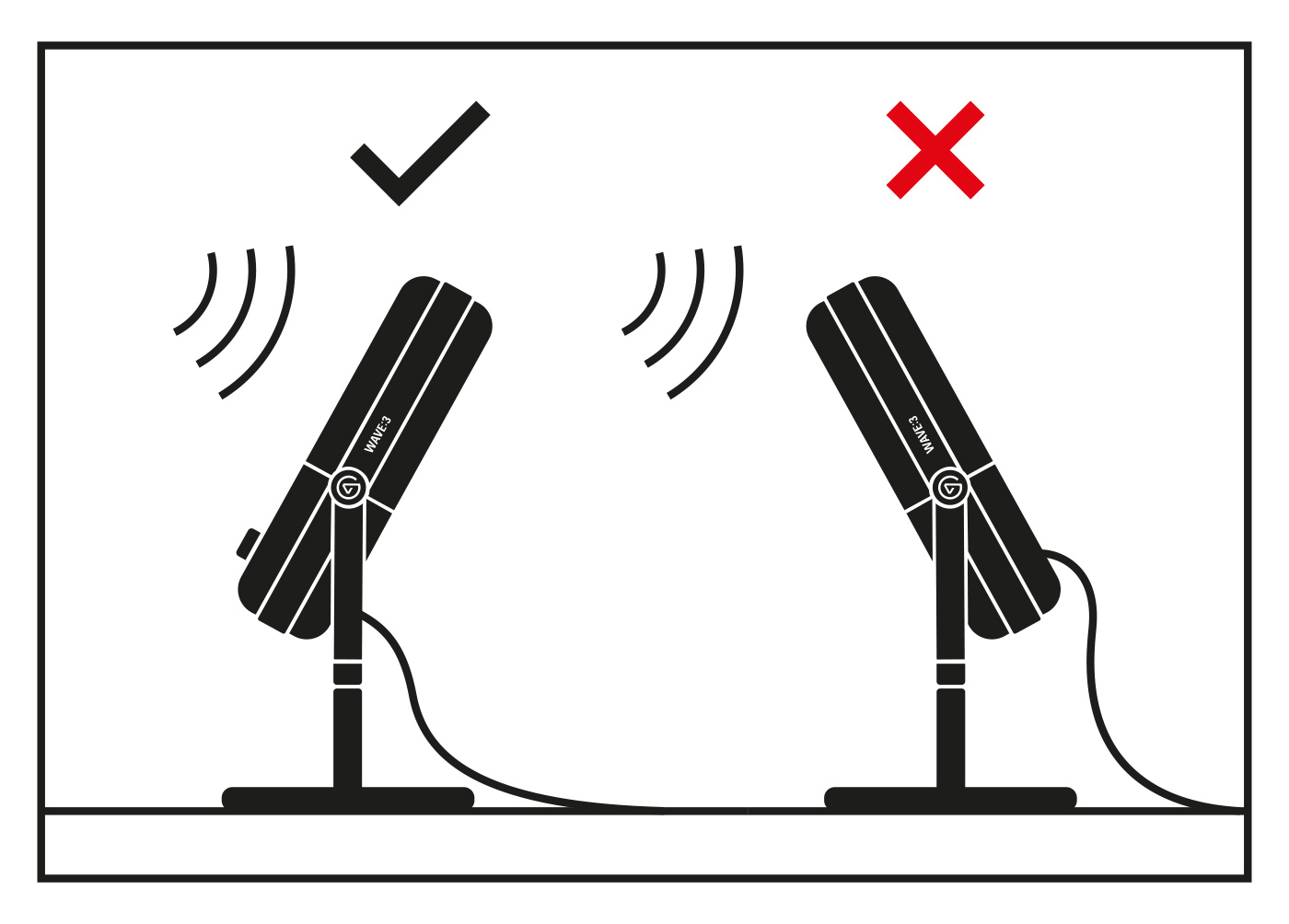
1) Face the capsule in your direction
2) Leave a gap of two fists between Wave:3 and your mouth
3) Lower the gain
4) Use Audio Effects
Ensure that the Capsule is Properly Facing Your Direction for Optimal Sound.
Try to Leave a Gap Equivalent to Two Fists Between Wave:3 and Your Mouth.

Lower the Gain
To minimize background noise, keep the gain low as possible. A good starting point is 15dB gain which can be adjusted in Wave Link software or three lit LEDs on the hardware indicator.
Lower gain setting will result in less background noise.

Use Audio Effects
If you still aren't happy with the sound of your Wave:3 you can add Audio Effects such as noise removal and equalizers.
Learn how to use Audio Effects in Wave Link here.
If any assistance is needed, feel free to contact us through the widget at the right.