Note: Wave Link has now been updated to version 3. This reimagining has all-new features and an improved interface overall. Wave Link 3 is free, and will also work with a wide variety of microphones, not just those from Elgato.
Wave Link 2 has reached End of Life. It will still be available for download, but our development focus will be on Wave Link 3 moving forward. We look forward to improve audio for an increasing audience of great creators.
Here are the changes in Wave Link 1.4.1.
You can download Elgato Wave link 1.4.1 by clicking on the link below.
Windows
What's new in Wave Link 1.4.1?
Before we dive into the latest changes, if you want to learn how to set up VSTs to get the best sound quality, we've put together informative videos to get you started.
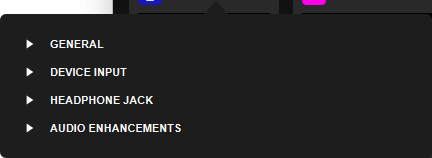
🆕 Collapsable Microphone settings
The settings of your Wave device can now be collapsed.
🆕 Plugin window scaling
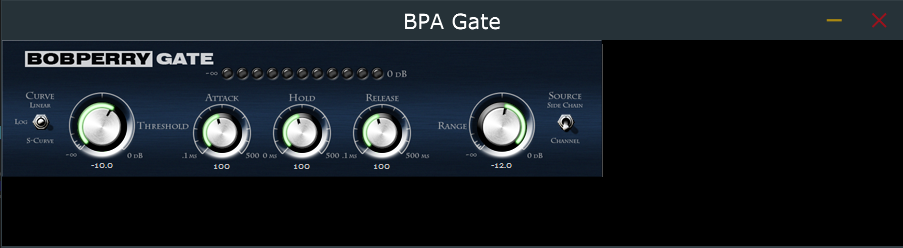
When using high DPI mode and larger than 100% scaling, some VST setting panels did not scale correctly. We've added automatic scaling as a toggle that can be enabled in Wave Link settings.
Auto-scaling off:
Auto-scaling on:

🆕 Buffer Size
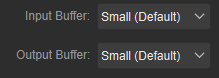
You can now adjust the input and output buffer sizes of Wave Link. Setting a larger buffer size can help when a channel input has crackling audio.
Should you try a reduced buffer size and audio starts to have crackling, increase the buffer size.
Learn more about buffer size settings.