How to charge the transmitter
You can charge the transmitter two ways.
In the Smart Handle: Your transmitter charges automatically whenever it’s docked in the Smart Handle. The Smart Handle can fully charge the transmitter about 5 times.
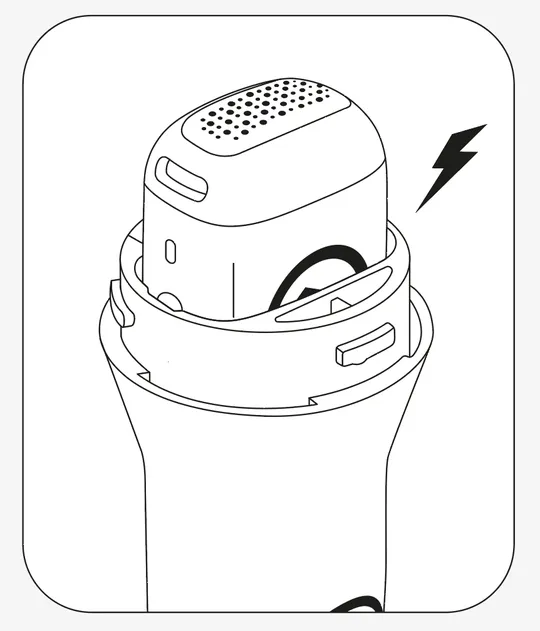
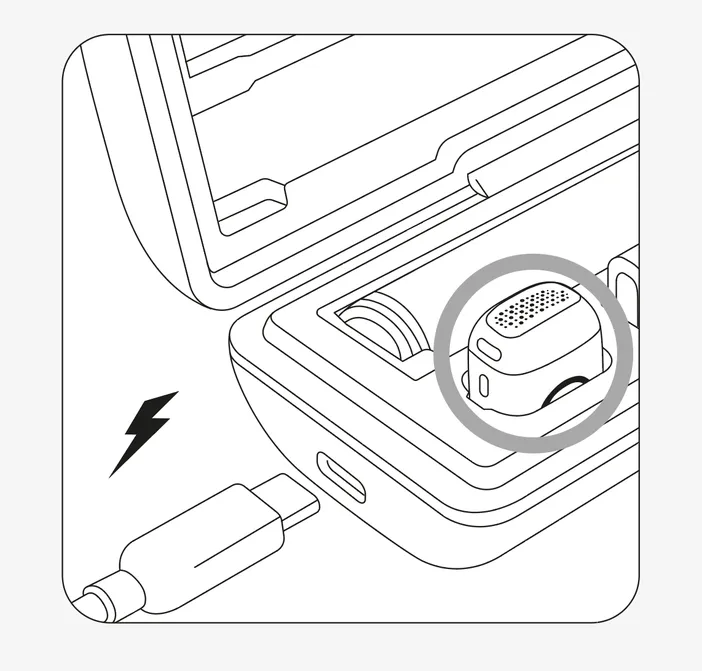
In the carrying case: Place the transmitter in its slot in the carrying case, then connect the case to power with the included USB-C cable. The transmitter LED shows the charging status:
| Light | Status |
|---|---|
 | Transmitter battery 85% to 100% Solid green |
 | Transmitter battery 30% to 84% Slow blinking green |
 | Transmitter battery 10% to 29% Slow blinking orange |
 | Transmitter battery 0% to 9% Slow blinking red |
How to charge the Smart Handle
Place the Smart Handle in its slot in the carrying case, then connect the case to power with the included USB-C cable. The LED ring at the bottom of the Smart Handle shows the charging status:
| Light | Status |
|---|---|
| Smart Handle battery 85% to 100% Solid green |
| Smart Handle battery 30% to 84% Slow blinking green |
| Smart Handle battery 10% to 29% Slow blinking orange |
| Smart Handle battery 0% to 9% Slow blinking red |
The carrying case charges the transmitter and Smart Handle at the same time.
Charge-through
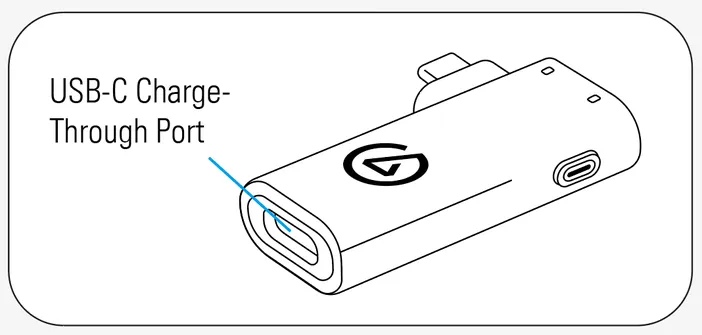
The receiver has a charge-through port, so you can connect a USB-C power source to help power your phone while recording. Connect the power source to the receiver’s charge-through port, then plug the receiver into your phone as usual.
It delivers up to 5 W, enough to charge your phone or slow battery drain, depending on how hard it’s working. On its own, the receiver draws less than 40 mA from your connected device. The receiver’s charge-through port doesn’t support Power Delivery (PD).
If your phone still loses charge, use a wireless battery pack or a USB-C splitter adapter with Power Delivery (PD) support (not included).
Charging guidelines
- The included USB-C cable is for charging only (5 V / 2 A, 10 W max).
- Charge and use Wave Go between 0° and 40°C (32° to 104°F).