Wave Go can also work as a desk mic on your computer. Plug the USB-C receiver into your PC or Mac, and use it for calls, podcasting, and more.
Wave Link is a free mixing software from Elgato for Windows and macOS. It lets you mix your voice, music, game audio, and system sounds, apply audio effects, and add VST and AU plugins.
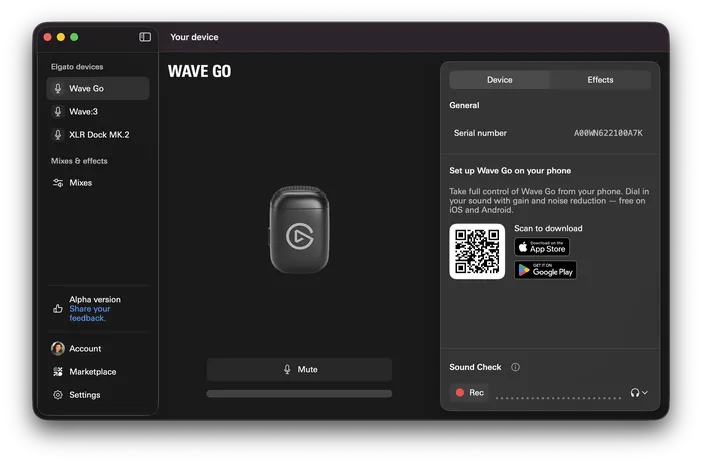
To set up Wave Go in Wave Link:
- Download Wave Link from elgato.com/downloads and install it.
- Plug the receiver into a USB-C port on your computer, and power on your transmitter.
- Launch Wave Link and follow the on-screen setup guide.
Wave Link software requires Windows 11 or newer, or macOS 15 or newer.
Voice Focus
Voice Focus is an audio effect in Wave Link that uses AI audio enhancement technology from ai-coustics. It separates your voice from room echo and background noise, so you sound natural and clear indoors.
Ways to use Voice Focus with Wave Go:
- Calls and meetings: Sound clear in Zoom, Microsoft Teams, and Google Meet, even in a noisy room.
- Podcasting and recording: Get clean vocals without treating your room.
- Voice prompting AI tools: Pair Wave Go with a dictation app to speak your prompts to ChatGPT, Claude, and other AI tools. The wireless transmitter lets you talk from anywhere in the room, not just at your desk.
Stream Deck integration
With the free Wave Link plugin from Elgato Marketplace, Stream Deck can adjust volumes, mute channels, and toggle effects in Wave Link.
Get the Wave Link plugin for free.
If any assistance is needed, feel free to contact us through the widget at the right.